

In this article we shown that how we can add Recaptcha V3 in Laravel websites.
ReCAPTCHA v3 will never interrupt your users, so you can run it whenever you like without affecting conversion. ReCAPTCHA V3 works best when it has the most context about interactions with your site, which comes from seeing both legitimate and abusive behavior. For this reason, we recommend including reCAPTCHA verification on forms or actions as well as in the background of pages for analytics.
Step 1: Open your terminal and install this package into project.
First we have to install package for Recaptcha V3.
composer require josiasmontag/laravel-recaptchav3After installing package publish the config file using below command and this step is optional.
php artisan vendor:publish --provider="Lunaweb\RecaptchaV3\Providers\RecaptchaV3ServiceProvider"Step 2: Create Your Google APi keys
In this step you have to create Google Site key and Google Secret Key of Recaptcha V3. You can create your key using this link.
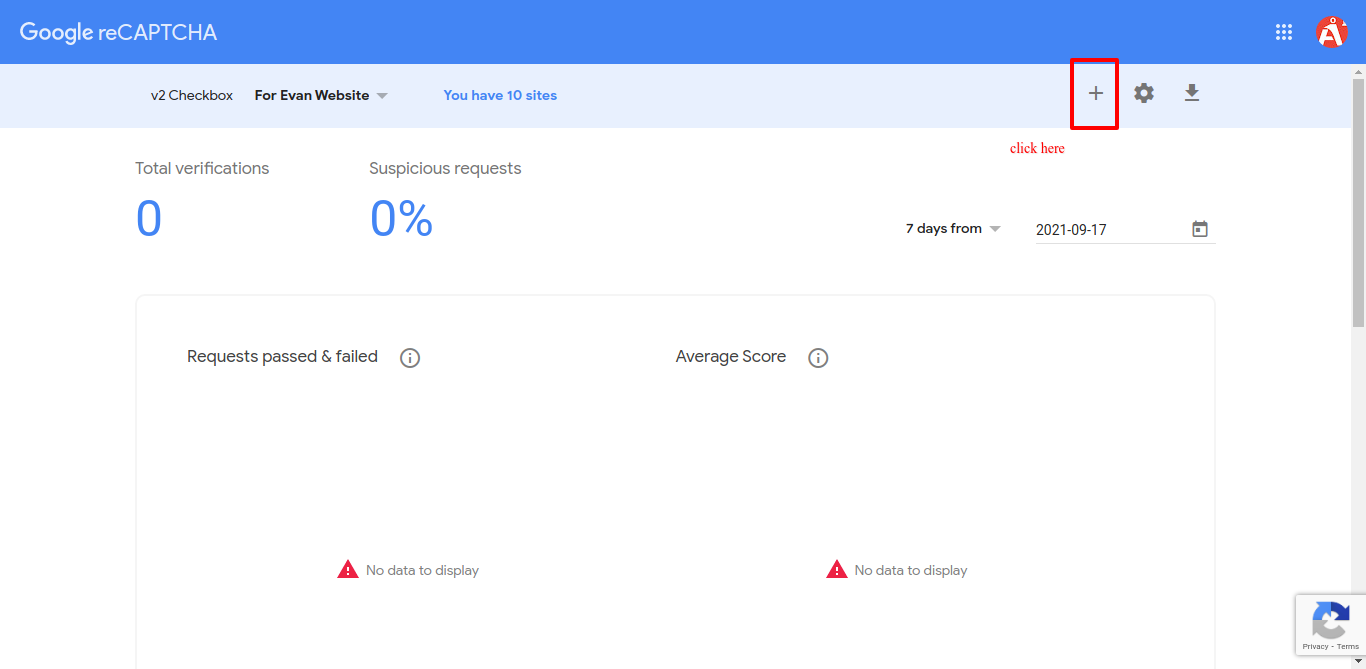

After Submiting you will get your Site key and secret key Copy both keys.

Step 3: Add Site and Secret Key into .Env File
Add both key into .env file.
RECAPTCHAV3_SITEKEY=[Your Site Key]

RECAPTCHAV3_SECRET=[Your Secret Key]
Step 4 : Goto Your blade file where you want to add Recaptcha v3.
In this blade File Add below command in Head section. this commande will generate javascript for google recaptcha v3.
     // This will render Javascript for Recaptcha V3.
      {!! RecaptchaV3::initJs() !!}
Step 5 : Add below code under Form Tag into same blade file.
Add Below code to same blade file which require recaptcha.this code will generate Recaptcha in your view. Put this code between form tag. This will generate token on load.
// Must require to add under form tag {!! RecaptchaV3::field('register') !!}
Step 6 : Serverside Validation of recaptcha v3.
Add below code to serverside validation of recaptcha.Here register is action name which we add under form tag and 0.5 is default and minimum required score. The score is based on interactions with your site and enables you to take an appropriate action for your site.
 $this->validate($request, [
            'name' => 'required',
            'email' => 'required|email',
            'g-recaptcha-response' => 'required|recaptchav3:register,0.5'
        ]);
Step 7 : Run Server
Run your server and now your website have protection of ReCaptcha V3.