
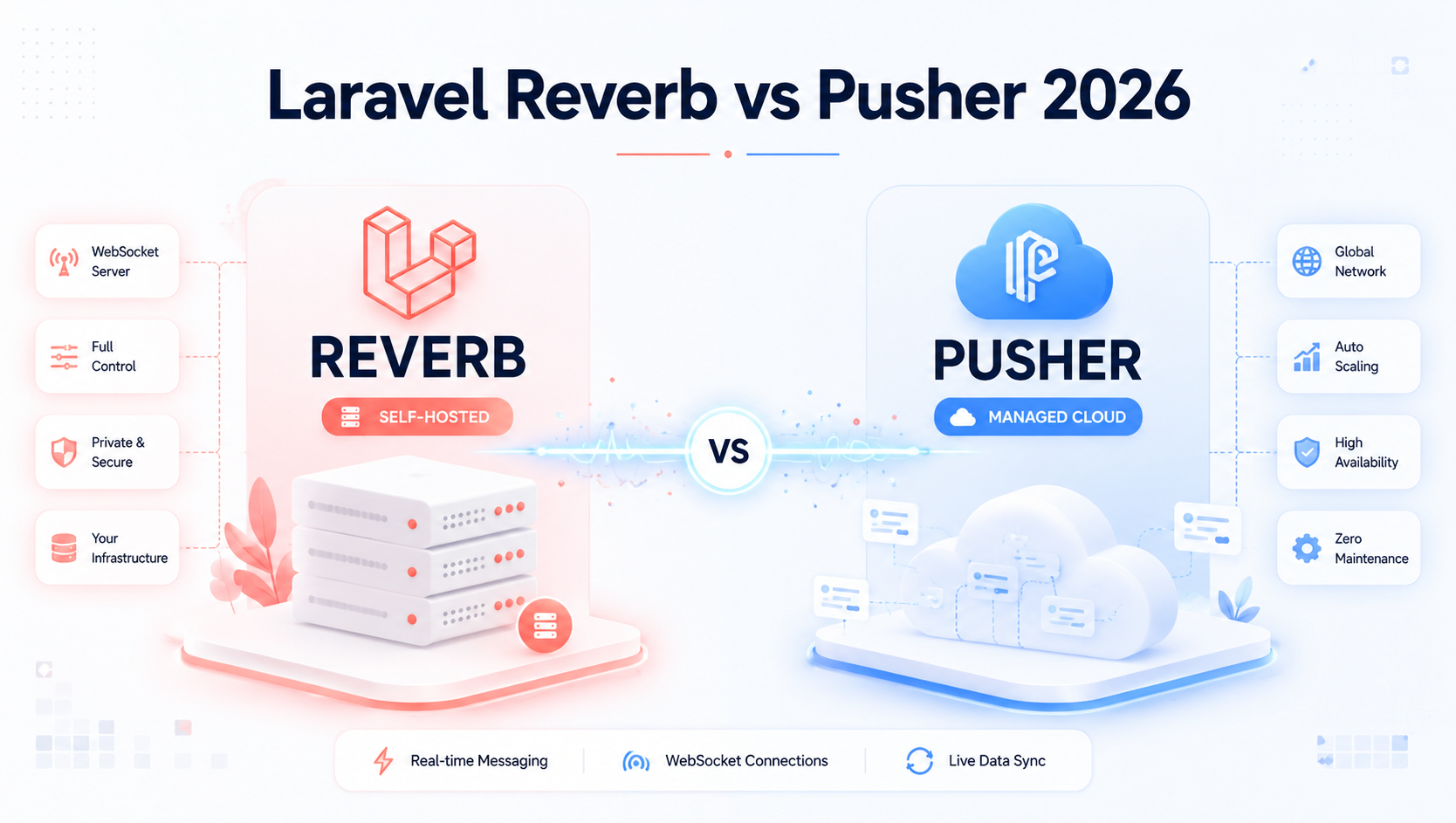
Real-time is no longer a "nice-to-have." In 2026, users expect instant feedback — live dashboards, collaborative editing, presence indicators, real-time chat, AI agent streaming, and live notifications. If your SaaS still relies on five-second polling, you're losing engagement and burning server cycles.
For Laravel teams, the conversation used to be simple: just plug in Pusher. But since Laravel 11 shipped Reverb — Laravel's official first-party WebSocket server — the calculus has changed. Founders are asking smarter questions: Should we self-host? What does it really cost at scale? Will it survive Black Friday traffic?
This guide answers those questions with real architecture, real numbers, and real production lessons from SaaS teams running both in 2026.
The Real-Time Problem Every SaaS Eventually Hits
Most SaaS apps start with HTTP. It works — until it doesn't.
The breaking point usually arrives somewhere between 5,000 and 50,000 monthly active users, when one of these things happens:
- A customer complains that notifications take 30 seconds to appear
- Your dashboard refreshes are hammering the database with thousands of polling requests per minute
- You add a "collaboration" feature and realize HTTP fundamentally can't support it
- Your AI feature needs to stream responses token-by-token (LLMs require this in 2026)
- A B2B prospect asks if your platform supports "real-time presence" before signing
At that point, you need persistent, bidirectional connections. You need WebSockets. And in the Laravel world, the two leading paths are Reverb and Pusher.
Industry Trends Driving the Real-Time Shift in 2026
A few forces have made real-time infrastructure mainstream this year:
- LLM streaming is now standard. Every AI feature streams tokens via WebSockets or SSE. Static request/response feels broken.
- Collaborative tooling exploded. Figma-style multiplayer is now expected in B2B SaaS — CRMs, project tools, dashboards, even spreadsheets.
- Edge networks are cheaper. Cloudflare, Fly.io, and Railway offer regional WebSocket hosting at startup-friendly prices.
- Self-hosted is back in fashion. Rising SaaS API costs (Pusher, Ably, Twilio) pushed teams toward owning their infrastructure.
- Laravel 11 → 12 made it official. Reverb shipped as Laravel's first-party answer, removing the friction of choosing third-party broadcasting drivers.
Quick Refresher: What Are Reverb and Pusher?
Pusher is a managed WebSocket-as-a-Service. You don't run servers — you call their API. They handle scale, geography, presence, and reliability. You pay per connection and per message.
Laravel Reverb is a self-hosted WebSocket server, written in PHP, maintained by the Laravel core team. It uses the same Pusher protocol, so Laravel Echo and the Pusher JS SDK both work with it out of the box. You run it on your own infrastructure.
That last point is the secret: Reverb speaks Pusher's language. Switching is mostly a config change.
Reverb vs Pusher: Head-to-Head Comparison
| Feature | Laravel Reverb | Pusher Channels |
|---|---|---|
| Hosting | Self-hosted | Fully managed SaaS |
| Pricing model | Server costs only (~$10–$200/mo) | Per-connection + per-message tiers |
| Setup time | 15–30 minutes | 5 minutes |
| Protocol | Pusher-compatible | Native Pusher |
| Horizontal scaling | Redis pub/sub | Handled for you |
| Geographic distribution | Manual (multi-region deploy) | Built-in global edge |
| Presence channels | ✅ | ✅ |
| Private channels | ✅ | ✅ |
| Data residency control | Full control | Limited (vendor-dependent) |
| Maintenance burden | You own it | Zero |
| Best for | Cost-sensitive scale, EU compliance, full control | Speed-to-market, tiny teams, global reach |
The Cost Reality: When Pusher Stops Making Sense
Let's run real numbers for a SaaS with 10,000 concurrent connections sending ~5 messages per user per minute:
- Pusher Enterprise tier: roughly $499–$999/month depending on message volume
- Reverb on a $40/month VPS + Redis: ~$60/month all-in
- Reverb on AWS with load balancer + 2 instances + ElastiCache: ~$180/month
The crossover point usually arrives around 3,000–5,000 concurrent connections. Below that, Pusher's convenience is often worth the price. Above that, Reverb starts paying for itself fast — and the savings compound as you scale.
But cost isn't everything. You're also buying engineering time, on-call burden, and reliability guarantees when you choose Pusher.
Step-by-Step: Setting Up Laravel Reverb in Production
Here's the practical setup path most teams follow.
Step 1: Install Reverb
php artisan install:broadcastingThis command (introduced in Laravel 11) walks you through installing Reverb, Echo, and the necessary client packages.
Step 2: Configure Your Environment
BROADCAST_CONNECTION=reverb
REVERB_APP_ID=your-app-id
REVERB_APP_KEY=your-app-key
REVERB_APP_SECRET=your-app-secret
REVERB_HOST="0.0.0.0"
REVERB_PORT=8080
REVERB_SCHEME=http

VITE_REVERB_APP_KEY="${REVERB_APP_KEY}"
VITE_REVERB_HOST="${REVERB_HOST}"
VITE_REVERB_PORT="${REVERB_PORT}"
VITE_REVERB_SCHEME="${REVERB_SCHEME}"
Step 3: Define a Broadcast Event
use Illuminate\Broadcasting\Channel;
use Illuminate\Broadcasting\InteractsWithSockets;
use Illuminate\Broadcasting\PrivateChannel;
use Illuminate\Contracts\Broadcasting\ShouldBroadcast;
use Illuminate\Foundation\Events\Dispatchable;
use Illuminate\Queue\SerializesModels;

class OrderStatusUpdated implements ShouldBroadcast
{
    use Dispatchable, InteractsWithSockets, SerializesModels;

    public function __construct(public int $orderId, public string $status) {}

    public function broadcastOn(): array
    {
        return [new PrivateChannel("orders.{$this->orderId}")];
    }

    public function broadcastWith(): array
    {
        return [
            'order_id' => $this->orderId,
            'status' => $this->status,
            'updated_at' => now()->toIso8601String(),
        ];
    }
}
Step 4: Authorize the Channel
// routes/channels.php

Broadcast::channel('orders.{orderId}', function ($user, $orderId) {
    return $user->orders()->where('id', $orderId)->exists();
});
Step 5: Listen on the Frontend
import Echo from 'laravel-echo';
import Pusher from 'pusher-js';

window.Pusher = Pusher;

window.Echo = new Echo({
    broadcaster: 'reverb',
    key: import.meta.env.VITE_REVERB_APP_KEY,
    wsHost: import.meta.env.VITE_REVERB_HOST,
    wsPort: import.meta.env.VITE_REVERB_PORT,
    forceTLS: false,
    enabledTransports: ['ws', 'wss'],
});

window.Echo.private(`orders.${orderId}`)
    .listen('OrderStatusUpdated', (e) => {
        console.log('Order updated:', e.status);
        updateUIWithStatus(e.status);
    });
Step 6: Run Reverb
bash
php artisan reverb:start --host=0.0.0.0 --port=8080In production, run this under Supervisor or systemd for auto-restart, and put it behind Nginx with WebSocket-aware proxying.
Step 7: Production-Grade Supervisor Config
[program:reverb]
process_name=%(program_name)s
command=php /var/www/your-app/artisan reverb:start
autostart=true
autorestart=true
user=www-data
redirect_stderr=true
stdout_logfile=/var/log/reverb.log
stopwaitsecs=3600
Scaling Reverb Horizontally with Redis
Single-process Reverb handles roughly 1,000–10,000 concurrent connections depending on workload. To go further, run multiple Reverb instances behind a load balancer and use Redis pub/sub to keep them in sync:
REVERB_SCALING_ENABLED=true
REVERB_SCALING_CHANNEL=reverb
REDIS_HOST=your-redis-host
REDIS_PORT=6379
Now any event broadcast on one Reverb node propagates to all the others. Pair this with a sticky-session-aware load balancer (or use --hostname flag) and you've got a setup that comfortably handles 50,000+ concurrent connections on modest infrastructure.
Real Business Examples
Case 1 — A 12,000-user project management SaaS: Migrated from Pusher to Reverb on a $80/month Hetzner setup. Saved $9,200 annually. Used the savings to ship a presence-indicator feature that became a top retention driver.
Case 2 — A fintech notifications platform: Stayed on Pusher because EU-region data residency and audited uptime were contractual requirements. The convenience of a managed SLA was worth the premium.
Case 3 — An AI writing tool: Used Reverb specifically for streaming LLM tokens to the frontend. Pusher's per-message pricing would have been prohibitive at their volume (millions of micro-messages per hour). Self-hosting was the only viable economics.
The pattern: Pusher wins on speed and compliance. Reverb wins on cost and control.
Best Practices for Production Real-Time Laravel
- Always use private or presence channels for user-specific data — public channels are visible to anyone with the key
- Run Reverb behind TLS in production (Nginx + Let's Encrypt is the standard setup)
- Queue your broadcasts. Mark events with
ShouldBroadcastAfterCommitto avoid broadcasting events from rolled-back transactions - Set connection limits per IP to prevent abuse
- Monitor with Laravel Pulse — it has first-class Reverb metrics in Laravel 12
- Use compact payloads. Send IDs, fetch details client-side. Don't broadcast entire models
- Plan for reconnection. Echo handles it, but design your UI for missed messages
- Use sticky sessions at the load balancer when running multi-node Reverb
Common Mistakes Teams Make
- Broadcasting from synchronous controllers. This blocks request response. Always dispatch broadcasts via queue.
- Forgetting CORS configuration. Especially when API and WebSocket live on different subdomains.
- Skipping authorization on private channels. A surprisingly common security hole — assume the channel name leaks.
- Running Reverb without Supervisor. A single crash leaves your real-time features dead with no auto-restart.
- Over-broadcasting. Sending events for every minor model change destroys frontend performance and floods clients.
- Not load testing. Use
artilleryork6to simulate thousands of WebSocket connections before launch. - Ignoring memory leaks. Long-running PHP processes need careful object lifecycle management.
Security Tips for Real-Time Laravel
- Authenticate every channel subscription server-side via
Broadcast::channel()callbacks - Use signed expiring tokens for guest/anonymous WebSocket access
- Rate-limit client-to-server "whisper" events on presence channels
- Enable Reverb's TLS termination via Nginx and disable plain
ws://in production - Audit channel naming — never include sensitive data in channel names (they appear in logs)
- Apply CSP headers and verify the WebSocket origin matches your app domain
- Rotate
REVERB_APP_SECRETquarterly and on team-member offboarding
Performance Tips
- Keep broadcast payloads under 1 KB when possible — large payloads multiply across thousands of connections
- Use Redis pipelining for multi-channel broadcasts
- Tune PHP's
memory_limitandmax_execution_timefor Reverb's long-running processes - Place Reverb in the same region as your Redis instance — cross-region latency kills throughput
- Use HTTP/2 or HTTP/3 at the Nginx layer for the initial upgrade handshake
- Consider Soketi as an alternative if you need C++-level performance (it speaks Pusher protocol too)
Future Trends: Where Real-Time Laravel Is Heading
Looking ahead through 2026 and into 2027:
- Reverb on the edge. Expect Fly.io and Railway templates that deploy Reverb to multi-region edge nodes natively.
- WebTransport support. Built on HTTP/3, replacing WebSockets for higher-performance scenarios. Laravel's broadcasting layer is being designed to abstract the underlying transport.
- AI agent streaming as default. Most new Laravel SaaS will ship with token-streaming endpoints from day one.
- Reverb + CRDTs. Real-time collaboration features (think Figma multiplayer) becoming a drop-in package using conflict-free replicated data types.
- Pusher itself evolving. Expect Pusher to add edge AI features and tighter integration with serverless functions to defend against self-hosted alternatives.
Which Should You Choose? A Practical Decision Framework
Choose Pusher if:
- You're pre-product-market-fit and shipping speed matters more than infra cost
- You need guaranteed global low-latency without managing regions yourself
- You have strict uptime SLAs and zero DevOps headcount
- Your message volume is low (under ~2M/month)
Choose Reverb if:
- You're past 3,000 concurrent connections and growing
- You have at least one engineer comfortable with DevOps
- You need data residency or compliance control
- You're streaming high-volume data (AI tokens, telemetry, live charts)
- Your unit economics demand predictable infrastructure costs
There's no wrong answer — only wrong-for-your-stage answers.
FAQs
Q1: Is Laravel Reverb production-ready in 2026? Yes. Reverb has been stable since Laravel 11 and matured significantly through Laravel 12. It's actively maintained by the Laravel core team and powers production SaaS applications handling tens of thousands of concurrent connections.
Q2: Can I switch from Pusher to Reverb without rewriting frontend code? Almost entirely, yes. Reverb implements the Pusher protocol, so Laravel Echo and the Pusher JS SDK work with both. The change is essentially environment variables and broadcaster config.
Q3: How many concurrent connections can a single Reverb instance handle? Practically, 1,000–10,000 depending on message volume, payload size, and server specs. Beyond that, scale horizontally with Redis pub/sub and a load balancer.
Q4: Does Reverb support presence and private channels? Yes. Reverb supports public, private, and presence channels with the same authorization model Laravel developers already know from Pusher integration.
Q5: What's the alternative if Reverb doesn't fit? Soketi is a high-performance, Pusher-compatible self-hosted alternative written for raw speed. Ably is a strong managed option for enterprise compliance scenarios. SSE (Server-Sent Events) works for one-way streaming use cases.
Q6: Can Reverb stream LLM responses from OpenAI or Anthropic? Yes — and it's a common 2026 pattern. Your Laravel backend streams tokens from the AI provider, then re-broadcasts each chunk over a private Reverb channel to the authenticated user.
Q7: Do I need Redis to run Reverb? Not for a single-node deployment. You only need Redis once you scale to multiple Reverb processes that must share state.
Conclusion
The Pusher-versus-Reverb question is really a question about your business stage. Pusher buys you speed and peace of mind. Reverb buys you margin and control. Both are excellent — what matters is matching the choice to where your SaaS actually is today, not where you hope it will be in three years.
If you're still polling, stop. Real-time is table stakes in 2026. Pick the path that fits your team and ship.
CTA Section
Need expert help building real-time features into your Laravel SaaS?
Softtechover's senior Laravel team has shipped production-grade Reverb and Pusher deployments for SaaS platforms across fintech, healthtech, and B2B verticals. Whether you're scaling a high-traffic app or building real-time from scratch, we'll help you get the architecture right the first time.