
Global
Choose your region
Vue.js development services for dashboards, portals, and SaaS frontends built on Vue 3.
SofttechOver builds Vue.js applications for teams that need data-heavy screens, account areas and admin tools on top of an existing backend or a new API. We work in Vue 3 with the Composition API, Pinia and Vite, and we migrate Vue 2 codebases that are past end of life.
<script setup>
import { computed, onMounted } from 'vue'
import { useOrderStore } from '@/stores/orders'
import OrderTable from '@/components/OrderTable.vue'

const store = useOrderStore()
const pending = computed(() =>
  store.orders.filter(o => o.status === 'pending')
)

onMounted(() => store.fetchOrders())
</script>

<template>
  <section class="dashboard">
    <h2>Pending orders: {{ pending.length }}</h2>
    <OrderTable :rows="pending" @approve="store.approve" />
  </section>
</template>
Vue.js applications for the screens your team and customers use every day.
Vue.js is at its best in interactive application UIs: tables with filters, multi-step forms, role-based views and live status updates. Vue handles the interface while your backend, whether Laravel or another API, owns data and business rules.
We work with startups, SaaS companies and established businesses, either building the frontend end to end or joining an existing product team.
Admin dashboards and back offices
Sortable, filterable data tables, approval queues, reports and role-based menus for operations, support and finance teams.
Customer portals and account areas
Sign-in, profile and billing screens, order or booking history, document downloads and support requests behind authentication.
SaaS product frontends
Single-page apps with Vue Router, Pinia state, reusable component libraries and API clients that grow feature by feature.
Booking and scheduling interfaces
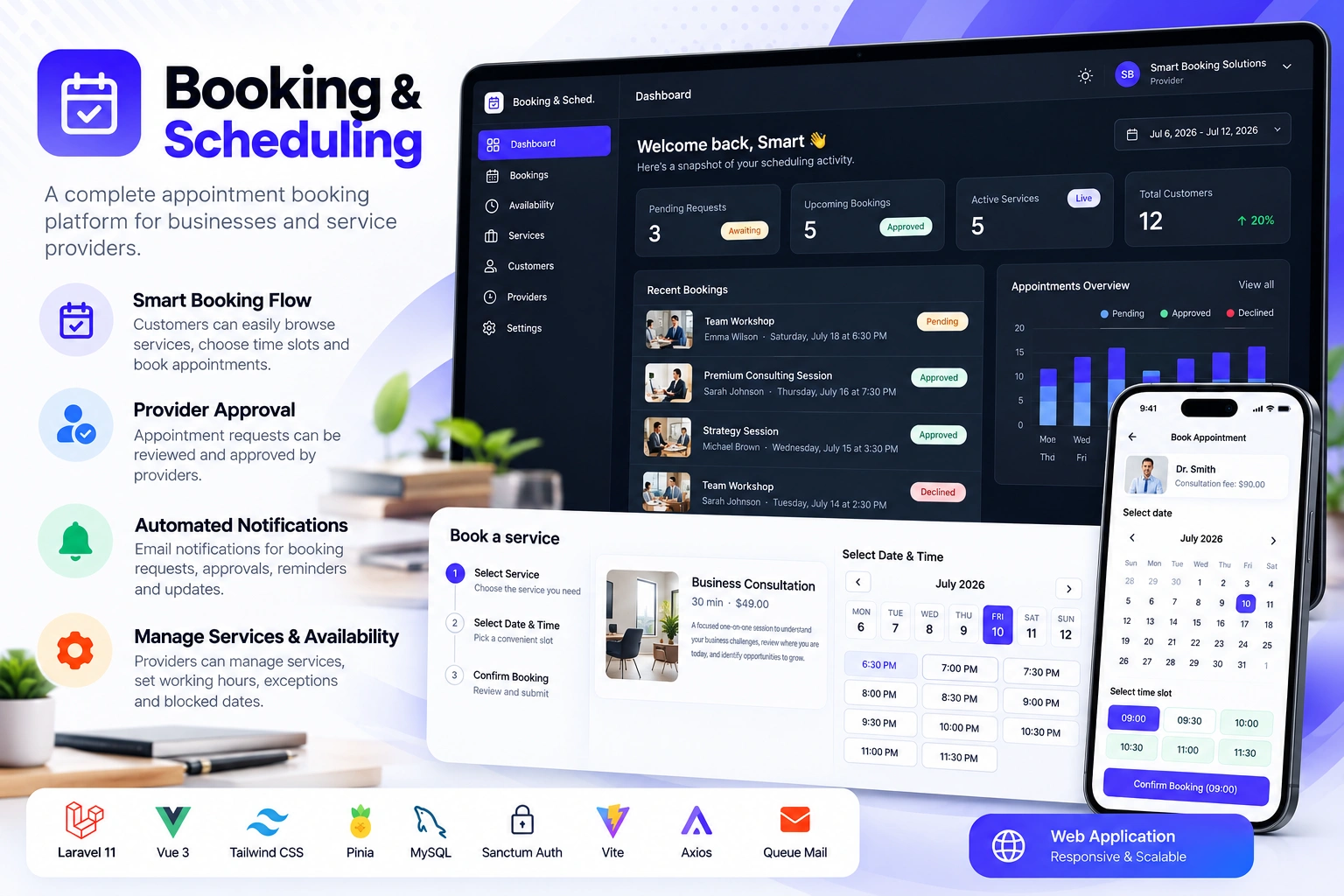
Calendars, availability pickers and multi-step booking forms that show live slots and handle server-side double-booking checks clearly.
Vue 2 to Vue 3 migration
Upgrades from Vue 2, Vuex and Webpack to Vue 3, Pinia and Vite, keeping the app releasable while code moves across.
Adding Vue to server-rendered apps
Interactive widgets or full pages inside Laravel Blade or other server-rendered sites, including Inertia.js for SPA-style routing.
How we build Vue.js applications, from screen map to production release.
Map screens, states and API contracts
We list every screen, its loading, empty and error states, and the endpoints it needs before any component is written.
Set up the Vue 3 foundation
Vite build, Vue Router, Pinia stores, ESLint and an agreed folder structure, so every new screen follows one pattern.
Build components and connect data
Shared form, table and modal components first, then feature screens wired to the API with permission checks per role.
Test, split bundles and release
Component and end-to-end tests on key flows, route-level code splitting, and a staging review before each production deploy.
Incremental adoption
Vue can power one widget on a server-rendered page or a full SPA, so you can modernize a legacy interface without a rewrite.
Official router and state tools
Vue Router and Pinia are maintained by the Vue team, which keeps project structure consistent and upgrades predictable.
Strong fit with Laravel
Laravel offers Vue starter kits and works with Inertia.js, so a Laravel backend and Vue frontend share auth, routing and validation.
When React or Next.js fits better
Choose React for its larger hiring pool or React Native skill sharing, and Next.js for content sites where server rendering drives SEO.
When Vue.js is the right frontend choice, and when another stack fits better.
Vue.js suits teams that want a component framework with official routing and state libraries, a gentle learning curve, and the option to adopt it one page at a time inside an existing app.
If search traffic from server-rendered pages is the main goal, or you plan to share code with a mobile app, we will say so early and recommend the stack that fits.
Vue.js frontend development that fits your backend and your team.
A Vue.js interface is only as good as the API behind it. If your backend runs on Laravel, our Laravel development services cover the API, queues and authentication the Vue screens depend on. Still comparing frameworks? See React.js development and Next.js development. To add capacity to your own team, hire a dedicated Vue.js developer, or browse related builds in our portfolio.
Planning a Vue.js dashboard, portal, or Vue 3 migration?
Share your screens, current codebase or API docs. We will review them and come back with a proposed component structure, delivery plan and team setup for your Vue.js project.
Vue.js development FAQs: framework choice, migration, backends and SEO.
What kind of projects are best suited to Vue.js?
Vue.js works best for interactive application interfaces such as admin dashboards, customer portals, SaaS frontends and booking flows. It is also a practical way to add interactivity to an existing server-rendered site one page at a time. For mostly static marketing content, a lighter or server-rendered approach is often a better fit.
Should we choose Vue.js or React for our product?
Both are mature and can build the same kinds of applications, so the deciding factors are usually practical. If your developers already know one of them, your backend is Laravel, or you plan a React Native mobile app, that tends to settle it. We recommend based on your existing team, backend and roadmap rather than preference.
Can you migrate our Vue 2 application to Vue 3?
Yes. Vue 2 reached end of life at the end of 2023, so it no longer receives security fixes. We audit dependencies first, then move the app to Vue 3, Pinia and Vite in stages, replacing incompatible libraries and keeping the product releasable throughout.
Do you pair Vue.js with Laravel, or can it work with our current API?
Yes. We build Vue.js frontends on Laravel, either as a separate SPA using Sanctum authentication or with Inertia.js inside the Laravel app. We also connect Vue to REST or GraphQL APIs built in Node.js or other stacks, working from your API documentation.
Do we need Nuxt, or is a Vue single-page app enough?
If the screens sit behind a login, a Vue SPA built with Vite is simpler to host and maintain. When public pages such as listings or landing pages must rank, Nuxt renders them on the server and lets us set metadata and structured data per route. Many products combine both: server-rendered public pages and a Vue SPA for the logged-in app.
Related Projects

Web Development

Web Development

Web Development
Web Development