
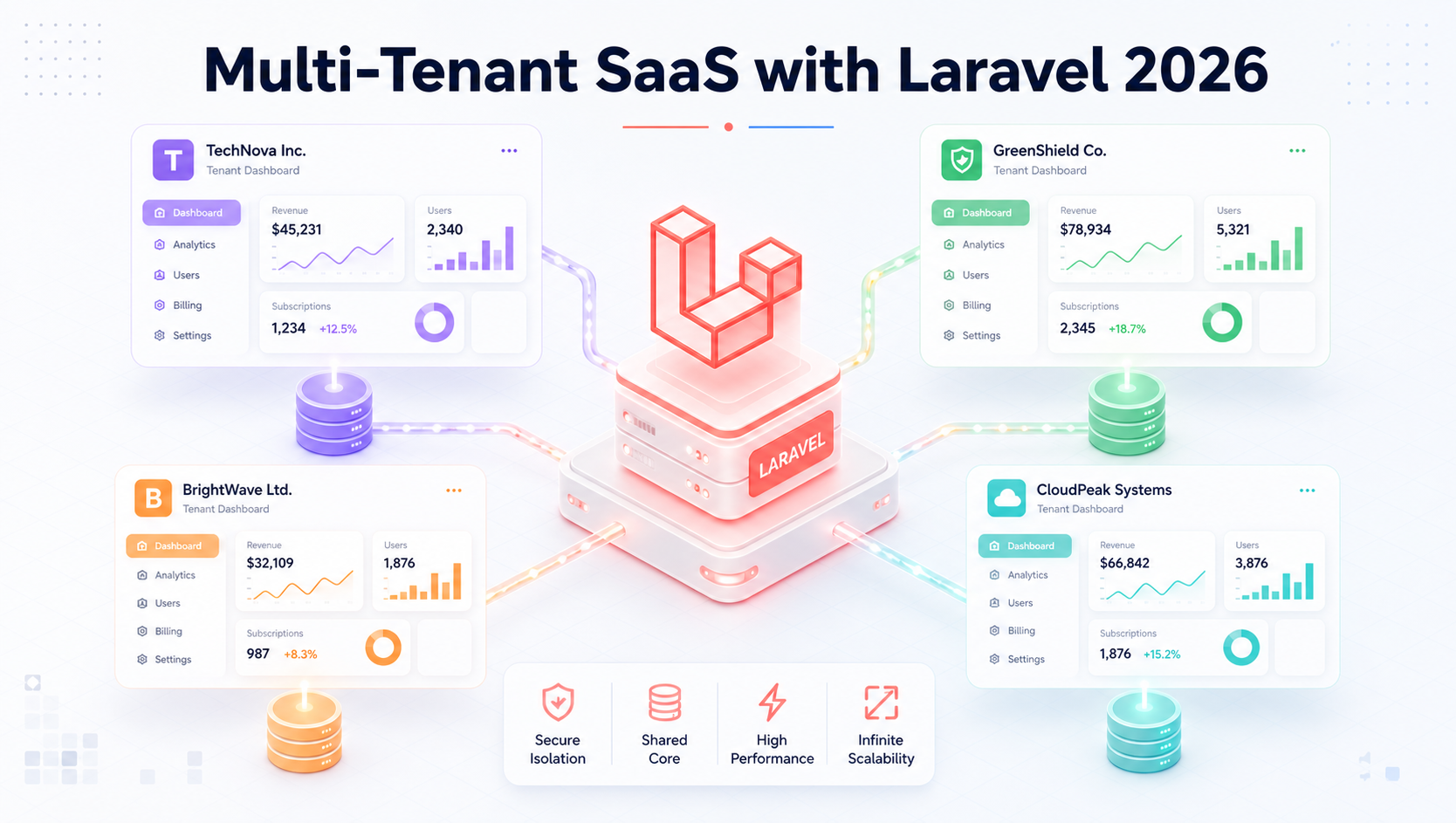
Every SaaS founder eventually hits the same fork in the road. You've validated your idea, you have paying customers, and now a bigger client wants their own branded environment, their own user base, their own data — completely separate from everyone else's. Suddenly, "just add a user_id column" stops working.
You need multi-tenancy. The question is how.
In 2026, Laravel has matured into one of the best ecosystems on the planet for building multi-tenant SaaS. Tenancy v4 offers production-grade tenant isolation. Pennant delivers feature flagging that maps cleanly to subscription plans. Together, they form an architecture stack that can take your SaaS from 10 customers to 10,000 without rewrites.
This guide breaks down exactly how to architect, build, and scale a multi-tenant Laravel SaaS in 2026 — with real code, real cost numbers, and real production lessons.
What Multi-Tenancy Actually Means (And Why It Matters)
A multi-tenant SaaS serves multiple customers ("tenants") from a single codebase. Slack, Shopify, Notion, HubSpot — all multi-tenant. Each customer feels like they have their own private application, but behind the scenes, one engineering team maintains one product.
The business case is undeniable:
- One codebase to maintain — every bug fix and feature ships to everyone
- Shared infrastructure — economies of scale slash hosting costs
- Faster onboarding — new tenants spin up in seconds, not days
- Easier analytics — cross-tenant insights drive product decisions
- Higher valuations — investors pay multiples for true SaaS architecture
But multi-tenancy comes with hard architectural questions. Get them wrong early, and you'll be re-platforming at the worst possible moment — usually when you're scaling.
Industry Trends Shaping Multi-Tenant Architecture in 2026
A few forces have reshaped how teams approach this in 2026:
- Data residency laws expanded. EU AI Act, India's DPDP rules, and state-level US laws now force per-region tenant isolation for regulated industries.
- AI-per-tenant is standard. Customers expect their tenant to have its own vector store, its own fine-tuned context, its own AI usage limits.
- Tenant-aware observability matured. Tools like Laravel Pulse, Sentry, and Datadog now offer first-class tenant tagging.
- Pennant replaced ad-hoc feature flag tables. Laravel's first-party feature flag package is now the default for plan-based feature gating.
- Per-tenant edge deployment. Larger tenants increasingly expect their workloads pinned to specific regions for compliance and latency.
The Three Multi-Tenancy Patterns: Pick Your Foundation
Before writing code, you need to choose how tenant data lives in your database. This decision is structural — switching later is painful.
Pattern 1: Single Database, Shared Tables (Row-Level Tenancy)
Every tenant shares the same tables, distinguished by a tenant_id column. Every query filters by tenant.
Pros: Cheapest, simplest to deploy, easiest analytics Cons: Risk of cross-tenant data leaks via missed query scopes, hard to delete a tenant's data cleanly, noisy-neighbor performance issues at scale Best for: Early-stage SaaS, B2C, freemium products
Pattern 2: Single Database, Multiple Schemas
One database, but each tenant gets its own schema (PostgreSQL) or its own table prefix. Tenancy v4 supports this elegantly.
Pros: Strong logical isolation, single-DB management, decent performance Cons: Schema migrations multiply per tenant, hosting providers vary in support Best for: Mid-sized B2B SaaS, 50–5,000 tenants
Pattern 3: Database-per-Tenant
Each tenant gets its own database. Total isolation.
Pros: Maximum security, easy tenant export/delete, compliance-friendly, performance isolation Cons: Higher infrastructure cost, more complex migrations, connection-pool management Best for: Enterprise SaaS, regulated industries (health, fintech), high-value B2B
Multi-Tenancy Approach Comparison
| Factor | Row-Level | Multi-Schema | Database-per-Tenant |
|---|---|---|---|
| Setup complexity | Low | Medium | High |
| Data isolation | Weak | Strong | Maximum |
| Cost per tenant | Lowest | Medium | Highest |
| Migration speed | Instant | Per-schema | Per-database |
| Tenant export/delete | Hard | Easy | Trivial |
| Compliance friendliness | Limited | Good | Excellent |
| Best tenant count | 10K+ | 100–10K | 10–1K |
| Performance isolation | None | Partial | Total |
Why Laravel Tenancy v4 in 2026
Tenancy v4 (the successor to the popular stancl/tenancy package, modernized for Laravel 11+) is the package most production SaaS teams reach for in 2026. It handles:
- Tenant identification (subdomain, domain, header, path)
- Automatic database switching mid-request
- Per-tenant migrations and seeders
- Tenant-aware queues, cache, sessions, filesystem
- Central database for shared tenant metadata
- Tenant lifecycle events (created, deleted, migrated)
It's flexible enough to support all three tenancy patterns above, though it shines brightest with multi-database and multi-schema approaches.
Step-by-Step: Building Your First Multi-Tenant Laravel App
Here's the practical implementation path.
Step 1: Install Tenancy v4
composer require stancl/tenancy
php artisan tenancy:install
php artisan migrate
This scaffolds your central tenants table, migration paths, and service providers.
Step 2: Configure Tenant Identification
In config/tenancy.php, choose how tenants are identified:
'identification' => [
    'default_middleware' => \Stancl\Tenancy\Middleware\InitializeTenancyByDomain::class,
    'middleware' => [
        \Stancl\Tenancy\Middleware\InitializeTenancyByDomain::class,
        \Stancl\Tenancy\Middleware\InitializeTenancyBySubdomain::class,
        \Stancl\Tenancy\Middleware\InitializeTenancyByPath::class,
    ],
],
For most B2B SaaS in 2026, subdomain-based identification (e.g., acme.yoursaas.com) is the standard.
Step 3: Define Your Tenant Model
namespace App\Models;

use Stancl\Tenancy\Database\Models\Tenant as BaseTenant;
use Stancl\Tenancy\Contracts\TenantWithDatabase;
use Stancl\Tenancy\Database\Concerns\HasDatabase;
use Stancl\Tenancy\Database\Concerns\HasDomains;

class Tenant extends BaseTenant implements TenantWithDatabase
{
    use HasDatabase, HasDomains;

    public static function getCustomColumns(): array
    {
        return [
            'id',
            'plan',
            'company_name',
            'billing_email',
            'trial_ends_at',
            'region',
        ];
    }
}
Step 4: Set Up Tenant-Aware Routes
// routes/tenant.php

Route::middleware([
    'web',
    InitializeTenancyBySubdomain::class,
    PreventAccessFromCentralDomains::class,
])->group(function () {
    Route::get('/', [TenantDashboardController::class, 'index']);
    Route::resource('projects', ProjectController::class);
    Route::resource('users', UserController::class);
});
// routes/web.php (central app)
Route::middleware('web')->group(function () {
Route::get('/', [LandingController::class, 'index']);
Route::get('/pricing', [PricingController::class, 'index']);
Route::post('/signup', [SignupController::class, 'store']);
});Step 5: Create a Tenant Programmatically
namespace App\Services;

use App\Models\Tenant;

class TenantProvisioningService
{
    public function createTenant(array $data): Tenant
    {
        $tenant = Tenant::create([
            'id' => Str::slug($data['company_name']),
            'plan' => $data['plan'] ?? 'free',
            'company_name' => $data['company_name'],
            'billing_email' => $data['email'],
            'region' => $data['region'] ?? 'us-east-1',
        ]);

        $tenant->domains()->create([
            'domain' => Str::slug($data['company_name']) . '.yoursaas.com',
        ]);

        // Tenancy v4 fires events that auto-create the DB and run migrations
        return $tenant;
    }
}
Step 6: Tenant-Specific Migrations
Migrations in database/migrations/tenant/ run per tenant when their database is created:
// database/migrations/tenant/2026_01_01_000000_create_projects_table.php

Schema::create('projects', function (Blueprint $table) {
    $table->id();
    $table->string('name');
    $table->text('description')->nullable();
    $table->foreignId('owner_id'); // No tenant_id needed — DB is isolated
    $table->timestamps();
});
Notice: no tenant_id column needed. The whole database belongs to one tenant.
Step 7: Run Tenant Migrations Across All Tenants
php artisan tenants:migrate
php artisan tenants:migrate --tenants=acme,globex,initech
Adding Feature Flags with Laravel Pennant
Pennant gives you clean, declarative feature flag management. Combined with multi-tenancy, it lets you ship features to specific plans, specific tenants, or specific user cohorts — without conditional logic spaghetti.
Install Pennant
composer require laravel/pennant
php artisan vendor:publish --provider="Laravel\Pennant\PennantServiceProvider" php artisan migrate
Define Plan-Based Features
// app/Providers/AppServiceProvider.php

use Laravel\Pennant\Feature;
use App\Models\Tenant;
use App\Models\User;

public function boot(): void
{
    Feature::define('ai-assistant', function (User $user) {
        return $user->tenant->plan === 'enterprise';
    });

    Feature::define('advanced-analytics', function (User $user) {
        return in_array($user->tenant->plan, ['pro', 'enterprise']);
    });

    Feature::define('custom-domains', function (User $user) {
        return $user->tenant->plan === 'enterprise';
    });

    Feature::define('beta-collaboration', function (User $user) {
        return $user->tenant->beta_features_enabled;
    });
}
Use Feature Flags in Controllers and Blade
public function dashboard(Request $request)
{
    if (Feature::for($request->user())->active('ai-assistant')) {
        return view('dashboard.with-ai');
    }

    return view('dashboard.standard');
}
@feature('advanced-analytics')
<x-analytics-panel />
@else
<x-upgrade-prompt feature="Advanced Analytics" plan="Pro" />
@endfeatureUse Feature Flags in API Responses
return response()->json([
    'data' => $projects,
    'features' => [
        'ai_assistant' => Feature::active('ai-assistant'),
        'analytics' => Feature::active('advanced-analytics'),
    ],
]);
This pattern lets your frontend conditionally render UI based on what the tenant has paid for — without a single hardcoded plan check.
Tenant-Aware Caching, Queues, and Storage
Tenancy v4 automatically scopes:
- Cache: Redis keys are prefixed with tenant ID — no cross-tenant cache pollution
- Queues: Jobs dispatched within tenant context automatically restore tenant on execution
- Filesystem: Per-tenant storage disks isolate uploaded files
- Mail: Per-tenant mail configurations (custom SMTP per enterprise client)
// Automatic tenant scoping in queues
ProcessLargeReport::dispatch($reportId);

// When the job runs, it restores the tenant context automatically
class ProcessLargeReport implements ShouldQueue
{
    use Queueable;

    public function handle(): void
    {
        // tenant() returns the correct tenant — no manual context switching
        $tenant = tenant();
        // ...
    }
}
Real Business Examples
Case 1 — A 400-tenant B2B project management SaaS: Used multi-schema PostgreSQL on a single RDS instance. Total monthly DB cost: ~$340. Achieved enterprise-grade isolation without enterprise-grade pricing. Pennant gates 14 features across 3 plans.
Case 2 — A healthtech platform (HIPAA-regulated): Used database-per-tenant on AWS RDS with region pinning. Each tenant lives in their customer's preferred region (us-east-1, eu-west-1, ap-south-1). Compliance audits became trivial because tenant data export is one mysqldump.
Case 3 — A freemium B2C analytics tool: Stayed on row-level tenancy with strict global scopes. 80,000+ tenants on a single database cluster. Switched to multi-schema only for paying customers above $99/month plan.
The lesson: match tenancy depth to revenue per tenant. Cheap tenants share more; expensive tenants get more isolation.
Best Practices for Production Multi-Tenant Laravel
- Always test cross-tenant data leakage. Write feature tests that log in as Tenant A and try to access Tenant B's data — every endpoint
- Use global scopes religiously on row-level tenancy. One missing scope = data breach
- Tag all logs with tenant ID for debugging and observability
- Run tenant migrations in CI/CD before deploys to staging tenants
- Build a tenant admin panel for support — searching across tenants is essential
- Plan for tenant deletion from day one — GDPR/DPDP require it
- Backup per-tenant when possible, not just the whole database
- Rate-limit per tenant to prevent noisy neighbors
- Use queue priorities so paid tenants get faster job execution
- Monitor tenant-level metrics in Pulse, Sentry, or Datadog
Common Mistakes Teams Make
- Mixing central and tenant data carelessly. Users, payments, audit logs — decide upfront where each lives
- Forgetting to scope Eloquent relationships. A
User::find($id)from another tenant returns data you don't want - Hardcoding feature checks instead of using Pennant — leads to plan changes requiring code deploys
- Running migrations on production tenants without dry-runs. Always test on a staging tenant first
- Letting tenants overlap on caching keys. Causes ghost data and bizarre support tickets
- No tenant context in background jobs. Jobs fail silently or write to the wrong DB
- Over-isolating too early. Don't reach for database-per-tenant when 50 tenants share one DB just fine
- Skipping connection pooling. Per-DB tenancy without PgBouncer/RDS Proxy exhausts connections fast
Security Tips for Multi-Tenant SaaS
- Enforce tenant context in middleware before any controller logic runs
- Audit every endpoint for tenant-scoped authorization (use Policies, not inline checks)
- Encrypt sensitive tenant data at rest with per-tenant encryption keys for enterprise plans
- Log every cross-tenant access attempt as a security event
- Sign all tenant-side JWTs with tenant-aware claims to prevent token reuse across tenants
- Implement automatic session invalidation when a tenant's user is removed or downgraded
- Run regular cross-tenant penetration tests, especially on shared row-level tenancy
- Apply Row-Level Security (RLS) in PostgreSQL as a defense-in-depth layer for shared-DB setups
Performance Tips
- Use Redis with per-tenant prefixes rather than per-tenant Redis databases (cheaper, easier scaling)
- Implement connection pooling (RDS Proxy, PgBouncer) for database-per-tenant setups
- Cache tenant resolution at the load balancer or Cloudflare Worker layer
- Pre-warm tenant caches after database switches to avoid cold-start latency
- Run per-tenant queue workers for high-volume enterprise clients
- Avoid
SELECT *in cross-tenant admin queries — index your central tenant table aggressively - Use horizontal partitioning in shared-DB tenancy (Postgres
PARTITION BYon tenant_id)
Future Trends: Multi-Tenant SaaS in 2026 and Beyond
- Per-tenant AI fine-tuning. Each enterprise tenant gets a fine-tuned model or RAG vector store
- Tenant-level edge deployment. Larger tenants pinned to specific Cloudflare/Fly regions automatically
- Pennant + LLM-driven feature rollouts. AI suggests which tenants are ready for beta features based on usage patterns
- WASM-based tenant isolation. Experimental sandboxing for custom tenant code (think Shopify Functions)
- Tenant-scoped observability dashboards built into Laravel Pulse natively
- Marketplace add-ons per tenant — Stripe Apps-style ecosystems within multi-tenant SaaS
Picking the Right Pattern: Quick Decision Framework
Use row-level tenancy if:
- You're pre-revenue or under 100 paying tenants
- Tenants pay under $50/month average
- You prioritize speed of delivery over compliance
Use multi-schema tenancy if:
- You're between 100–5,000 tenants
- Your customers ask "where's my data stored?"
- You need clean tenant deletion but not full DB isolation
Use database-per-tenant if:
- You sell to enterprise (>$500/month ARR per tenant)
- You operate in regulated industries (health, fintech, legal, government)
- Data residency is a contractual requirement
- Performance isolation is critical
You can also mix patterns — row-level for free tier, multi-schema for paid, database-per-tenant for enterprise. Tenancy v4 supports this hybrid model.
FAQs
Q1: Can I migrate from single-tenant to multi-tenant Laravel without rewriting everything? Yes, but plan carefully. Start by introducing Tenancy v4 in parallel, add a tenant_id to existing tables, then progressively move logic into tenant-aware routes. Most migrations take 4–12 weeks depending on app complexity.
Q2: Is Tenancy v4 production-ready in 2026? Absolutely. It powers production SaaS handling tens of thousands of tenants. The package is battle-tested, actively maintained, and compatible with Laravel 11 and 12.
Q3: How does Pennant compare to Flagsmith or LaunchDarkly? Pennant is free, first-party, and perfectly sufficient for plan-based feature gating in most SaaS. LaunchDarkly/Flagsmith add experimentation, percentage rollouts, and analytics — useful at larger scale but often overkill for SaaS plan management.
Q4: What's the maximum tenant count Laravel can realistically handle? With row-level tenancy: 100,000+ tenants per database. Multi-schema: 5,000+ schemas per Postgres instance. Database-per-tenant: limited by your infrastructure budget and connection pool capacity — typically 500–2,000 per cluster.
Q5: Should every SaaS be multi-tenant from day one? Yes. Single-tenant Laravel apps are far harder to convert later than to architect correctly upfront. Even MVPs benefit from row-level tenancy from the first commit.
Q6: How do I handle tenant-specific feature requests without breaking the SaaS model? Use Pennant feature flags for any "one-off" feature. Bill premium tenants for early access. Resist building genuinely custom code — that path leads to a consulting business, not a SaaS.
Q7: Can I run multi-tenant Laravel on serverless (Laravel Vapor)? Yes. Tenancy v4 is compatible with Vapor. Multi-database tenancy works best with RDS Proxy to manage connection pooling at scale.
Conclusion
Multi-tenancy is the architectural decision that defines whether your SaaS becomes a sustainable business or a maintenance nightmare. Get it right in 2026 with Laravel Tenancy v4, layer Pennant on top for clean plan management, and you'll have an architecture that scales from your first customer to your ten-thousandth — without painful re-platforming along the way.
The patterns are proven. The packages are mature. The only question is whether you'll build it right from the start.
CTA Section
Planning a multi-tenant SaaS or stuck mid-migration?
Softtechover's Laravel architects have shipped production multi-tenant platforms across B2B, healthtech, fintech, and enterprise SaaS. We help you choose the right tenancy pattern, build the foundation correctly, and avoid the costly re-platforming traps most teams fall into.